Website design for builders
Homeowners planning an extension or loft conversion shortlist builders months before work starts, and they're worried about overruns and cowboys. We build builders' websites that show real projects, explain how you work and tell you which enquiries are ready to go.
How people choose builders
Finding a builder people trust is genuinely hard. A YouGov study for TrustMark and the HomeOwners Alliance found more than half of homeowners struggled to find one. Your website is where you prove you're the safe choice.
Planners
Thinking about an extension or conversion. Reading about costs, planning and Building Regulations, months before they need a builder.
Shortlisters
Have drawings or approvals and are comparing two to four builders on similar projects, reviews and how they work.
Repair and renovation jobs
Smaller, sooner jobs. Want to know you take on work their size and when you could start.
Architects and designers
Refer clients to builders they trust. Want to see quality and reliability.
Three journeys to design for
- ResearchReads guides and galleries over weeks. Comes back when the drawings are ready.
- ShortlistCompares project stories, reviews and accreditations, then asks for a quote.
- Ready to quoteWants a site visit. Your form should ask enough to know which visits to book first.
Features, in order of priority
What matters most for builders, why it matters, and which parts need a third-party service.
Essential
Every site in this sector should have these.
- Captioned project gallery
Real, consented projects with the type, area, scope and how long it took. Similar-project proof decides most shortlists.
Standard buildYou add new projects yourself in Decap CMS.
- Service pages
Extensions, loft conversions, garage conversions and renovations each get a page that answers the questions people search for.
Standard build - How we work
Survey, quote, written contract, staged payments, programme and sign-off. FMB research found most homeowners don't ask for a written contract, so explaining it marks you out.
Standard build - Staged quote request
Project type, stage (ideas, drawings, approvals), timing, budget band and postcode, so you can see which leads are ready.
Standard buildPhoto uploads need a form service that handles files securely.
- Accreditations you can verify
Link each badge to the scheme's own "check a member" page. Only show schemes you belong to now.
Standard build
Recommended
Worth it for most businesses.
- Planning and Building Regulations guide
A plain-English guide that links to the Planning Portal shows competence and attracts people early.
Standard build - Verified reviews
Reviews from Google, Checkatrade or Which? Trusted Traders, shown within the platform's terms.
Third-party service
Optional
Useful as you grow, often with extra cost.
- What affects the cost
Explains the cost drivers without promising a price, so people can budget realistically.
Standard build - Client project updates
A private area or shared folder for progress photos on bigger jobs.
Custom work
Where enquiries come from
Building work comes from reputation, then search. Your website ties the two together: someone hears your name, sees your projects and asks for a visit.
- Google Business ProfileA service-area profile with project photos and reviews from finished jobs.
- Search for project typesService pages and guides for the work you want more of, in the areas you cover.
- Site boards, vans and past clientsA short web address on every board, and a review request at sign-off.
- Architects and designersA page showing quality and process that they're happy to send clients to.
- Trade directoriesFMB, TrustMark and Checkatrade profiles as extra routes in, all pointing back to your site.
Gallery to quote path
- Finds a project like theirs
- Taps "a project like this"
- Completes a three-step quote request
Process to visit path
- Reads how you work
- Sees verified accreditations
- Books a site visit

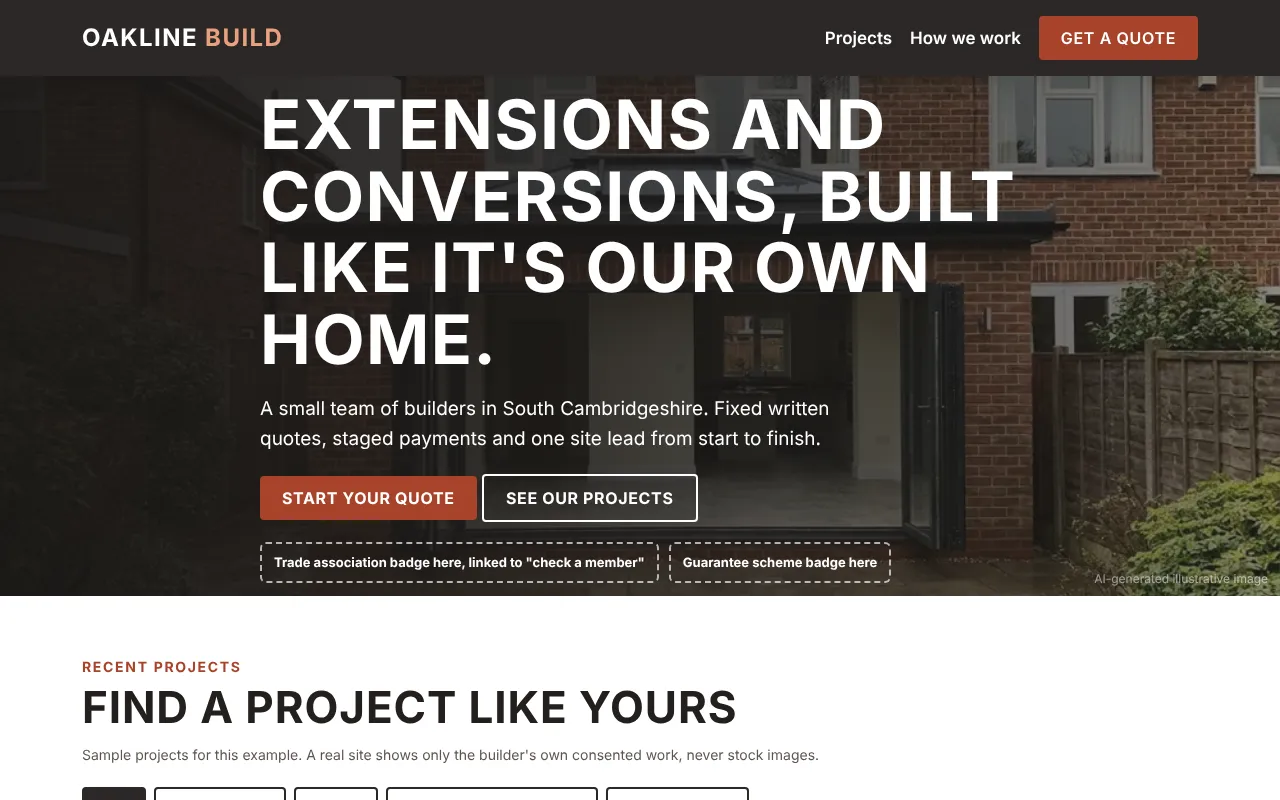
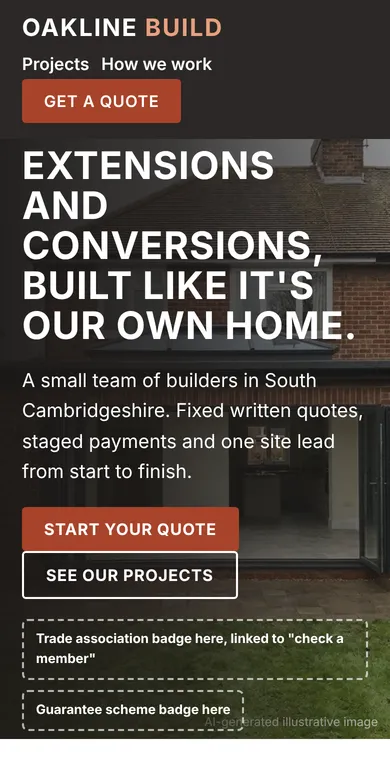
What it could look like: Oakline Build & Renovation
Oakline Build & Renovation is a made-up firm. The concept shows how we would lead with real projects and a clear process, so homeowners shortlist you with confidence.
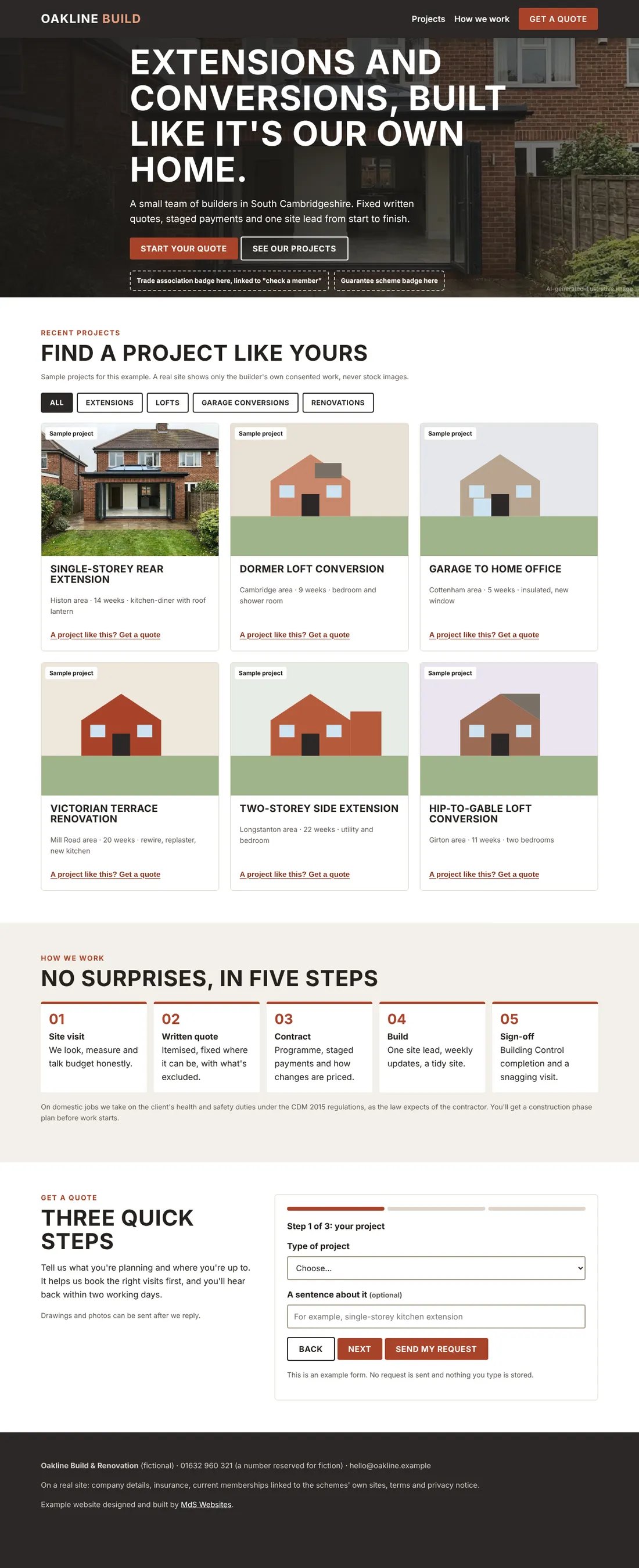
Scroll inside the frame to see the whole home page.
What the design puts first
- Projects captioned with the type of work, the area and how long it took
- A five-step process from site visit to sign-off
- A quote request that asks where the project is up to
- Space for accreditation badges that link to each scheme's own member check
A concept to show priorities and style, not a finished site. Your website would be designed around your business, with all the pages and detail it needs.
What works, and what to avoid
Do
- Caption every project
"Single-storey rear extension, Histon, 14 weeks" tells a homeowner far more than a photo on its own.
- Explain your process
Contracts, staged payments and how you handle changes answer the fear of overruns before it's raised.
- Link your badges
Let people check your FMB or TrustMark membership on the scheme's own site.
- Ask the project stage
"Ideas", "drawings ready" or "approvals in place" helps you book the right visits first.
Don't
- Show logos you're not entitled to
The ASA has repeatedly ruled against builders showing FMB, NHBC or other scheme logos without being members.
- Use stock or borrowed photos
A gallery must be your own work. Homeowners can tell, and it undermines everything else.
- Promise planning permission or fixed dates you don't control
Explain what affects planning and programme instead.
- Show clients' house numbers
Ask permission for every photo and keep addresses general.
The rules that shape the site
A few rules shape what a builder's website says and asks. This summary helps you plan and is not legal advice.
- CDM 2015 for domestic clientsLawGreat Britain
On domestic projects, the client's CDM duties normally pass to the contractor or principal contractor. Explaining this on your process page shows you know your responsibilities. Source: HSE
- Planning and Building RegulationsLawEngland
Many extensions are permitted development within limits, but most need Building Regulations approval. Link to the Planning Portal rather than giving advice. Source: Planning Portal
- Membership claims and logosLawUK
Scheme logos and guarantees must be true and backed up under the CAP Code. Source: ASA
- Cancellation rightsLawEngland, Scotland, Wales
Contracts agreed in a customer's home usually come with a 14-day right to cancel. Work started early at their request may need paying for. Source: Business Companion
- TrustMarkProfessional rulesUK
TrustMark is the Government Endorsed Quality Scheme for work in and around the home. Joining is voluntary. Source: TrustMark
What we build, and what others provide
How these features fit into an MdS build. Every project is quoted after a free call.
Gallery, service pages, process and guides
Part of a standard MdS build. You add projects yourself in Decap CMS.
Staged quote form
Included. Photo uploads use a form service that handles files, which may have a small monthly cost.
Reviews display
We show reviews in line with each platform's rules, or link to your profile.
Local SEO and Google Business Profile
Through our digital marketing and SEO service.
Hosting and care
UK hosting, backups and updates on a care plan.
Questions builders ask us
How much does a builder's website cost?
It depends mainly on how many service pages and projects you start with. We quote a fixed price after a free call and flag any extras, such as file uploads.
I don't have good photos of past jobs. Can you help?
We'll help you choose and prepare what you have, and plan how to photograph future jobs. We never use stock or AI images as your projects.
Can the form ask for photos and drawings?
Yes, using a form service that handles files securely. Or the form can ask people to email drawings after you reply.
Can I add projects myself?
Yes. Projects are editable in Decap CMS: add photos, a caption and a few lines, and publish.
Will a website get me more work?
We can't promise numbers. Most builders grow on reputation; a strong site makes that reputation easy to check and turns more of it into enquiries.
How long does it take?
Typically a few weeks, depending on how ready your project photos and descriptions are.
Related pages
Sources and further reading
- HSE: Domestic clients: roles and responsibilities (CDM 2015)
- Planning Portal: Extensions: planning permission and building regulations
- Construction Management: Lack of confidence costs domestic sector billions
- Which? Trusted Traders: The smart way to work with your builder
- ASA: Ruling on Low Cost Building Maintenance Ltd
- TrustMark: About us
- Business Companion: Consumer contracts: off-premises sales
Checked 27 November 2026. Rules change, so check the source before relying on it.
Let's talk about your builders website.
Book a free, no-pressure call. Tell us how you win customers now, and we'll show you what we'd change first.